Posts for: #ubuntu

Ubuntu 24.04 LTS Aims to Include Linux 6.8 Kernel

Canonical has laid out their kernel plans for Ubuntu 24.04 LTS and they are being hopeful with tentative plans to ship the in-development Linux 6.8 kernel as their default kernel on this next long-term support Ubuntu desktop/server distribution. Linux 6.8 has a lot of great features and improvements in store from hardware support to new optimizations and more. Andrea Righi of Canonical announced the tentative plans for Linux 6.8 in Ubuntu 24.04. An experimental kernel build is already available via a PPA.

Source: Phoronix.

Introducing the Radxa Zero 3W SBC: Powerful RK3566 SoC & Up to 8GB RAM in Raspberry Pi Zero 2 W Size

Radxa has introduced the Radxa Zero 3W single-board computer (SBC), which features a 1.6 GHz Rockchip RK3566 processor and up to 8GB of RAM. The board is designed in the compact Raspberry Pi Zero 2 W form factor, making it one of the most powerful Arm Linux SBCs in this size.

The Radxa Zero 3W comes with various features, including an optional eMMC flash with up to 64GB capacity, a microSD card slot, a micro HDMI port, two USB Type-C ports, WiFi 4 and Bluetooth 5.0 wireless connectivity, a MIPI CSI camera connector, and a 40-pin Raspberry Pi GPIO header.

Here are the specifications of the Radxa Zero 3W:

  • SoC: Rockchip RK3566 with a quad-core Arm Cortex-A55 processor clocked at 1.6 GHz, Arm Mali G52-2EE GPU, 0.8 TOPS AI accelerator, and 4Kp60 video decoding capabilities
  • System Memory: 1GB, 2GB, 4GB, or 8GB LPDDR4
  • Storage: Optional 8GB, 16GB, 32GB, or 64GB eMMC 5.1 flash, and a microSD card slot
  • Video Output: Micro HDMI port up to 1080p60
  • Camera: MIPI CSI connector compatible with Raspberry Pi Camera V1.3 and Raspberry Pi Camera V2
  • Wireless: WiFi 4 (802.11 b/g/n) and Bluetooth 5.0
  • USB: 1x USB 3.0 Type-C host port and 1x USB 2.0 Type-C OTG port
  • Expansion: 40-pin GPIO header with multiple interfaces
  • Power Supply: 5V/1A (minimum) via USB-C OTG port
  • Dimensions: 65 x 30mm

Radxa provides Debian and Ubuntu OS images, as well as a hardware access/control library for Linux. To get started, users will need a 5V power supply, a microSD card, and necessary peripherals like an HDMI monitor or TV, USB keyboard and mouse, and potentially a USB to serial debug board and a MIPI CSI camera.

Despite having a similar form factor to the Raspberry Pi Zero 2 W, the Radxa Zero 3W has some connector differences, such as micro HDMI instead of mini HDMI, and a different placement of the MIPI CSI connector and microSD card slot.

Performance-wise, the Radxa Zero 3W with the Rockchip RK3566 processor has been found to be significantly faster than the Raspberry Pi Zero 2 W in benchmarks. The RK3566 processor has been in the market for several years, and benchmark results are available.

The Radxa Zero 3W is listed on AllNet China, starting at $15 for the model with 1GB RAM and no eMMC flash or GPIO headers. The price goes up to $66 for the variant with 8GB RAM, 64GB eMMC flash, and female GPIO headers soldered to the board. However, all variants are currently sold out, and it is unclear when there will be stock available.

In addition to the Radxa Zero 3W, Radxa is also working on a wider Zero 2 Pro board with a 2.2 GHz Amlogic A311D processor, which will offer even more performance and require a proper cooling solution with a heatsink and a small fan.

Source: CNX Software – Embedded Systems News.

Intel Expands Collaboration with Red Hat, Canonical, and SUSE for Optimized Linux Distros

Intel announced at their Innovation 2023 conference that they are collaborating with software vendors such as Red Hat, Canonical, and SUSE to provide Intel-optimized Linux distributions, Phoronix reports. This is part of Intel’s push for “optimized performance” in the Linux world.

The collaboration aims to provide Intel-optimized distributions of enterprise software releases, ensuring optimized performance for the latest Intel architectures. This is an extension of previous collaborations, such as Canonical and Intel’s work on Ubuntu optimized for select Intel CPUs.

In addition to the collaboration on Linux distributions, Intel and Red Hat announced an expanded collaboration with Intel contributing to upstream RHEL through CentOS Stream. Intel will also continue contributing performance optimizations to tools and frameworks in the AI space, such as PyTorch and TensorFlow.

These collaborations are expected to bring new optimizations for performance and power efficiency. Intel’s Clear Linux platform will continue to be maintained with aggressive performance optimizations. The enterprise Linux distributions, such as Red Hat and SUSE, are exploring raising their baseline requirements and implementing optimized libraries based on the CPU in use.

Phoronix promises to report on the results of these collaborations, including benchmarking.

Source: Phoronix.

Secure Your Container and Other Deployments with Ubuntu Server Hardening

The New Stack has posted a guide on how to harden n Ubuntu server. Ubuntu is a popular choice for container deployments, but many admins and DevOps teams overlook the importance of securing the operating system itself. The article provides a guide to hardening Ubuntu to ensure a secure foundation for deployments. The steps include:

  1. Schedule regular upgrades to ensure the server is patched against the latest threats.

  2. Change sudo and SSH settings.

  3. Install and configure fail2ban to automatically ban IP addresses that attempt to compromise the server via SSH.

  4. Secure shared memory by mounting /run/shm with certain privileges.

  5. Enable and configure the Uncomplicated Firewall (UFW) and allow SSH connections.

By following these steps, admins and DevOps teams can significantly enhance the security of their Ubuntu Server deployments. Head over to The New Stack and read the guide!

Source: The New Stack.

Deploy a Kubernetes Cluster with Service Mesh on DigitalOcean Using K3s

Deploy a Kubernetes Cluster with Service Mesh on DigitalOcean Using K3s
This guide will help you set up a Kubernetes cluster, including a service mesh using k3s (at the time of writing at version 0.10.2) and Rio. We’ll deploy the cluster on DigitalOcean. Ubuntu 18.04 LTS will be the OS during this tutorial. If you sign up to DigitalOcean using this link, you’ll receive $50 to spend on their services over 30 days. If you wish to run your cluster on your own hardware, you could do so on Raspberry Pis (ARM64) or Intel NUCs (x86_64) for example.
Read more →

Compile ZFS on Linux 0.8.2 with Native Encryption on ARM64

Compile ZFS on Linux 0.8.2 with Native Encryption on ARM64
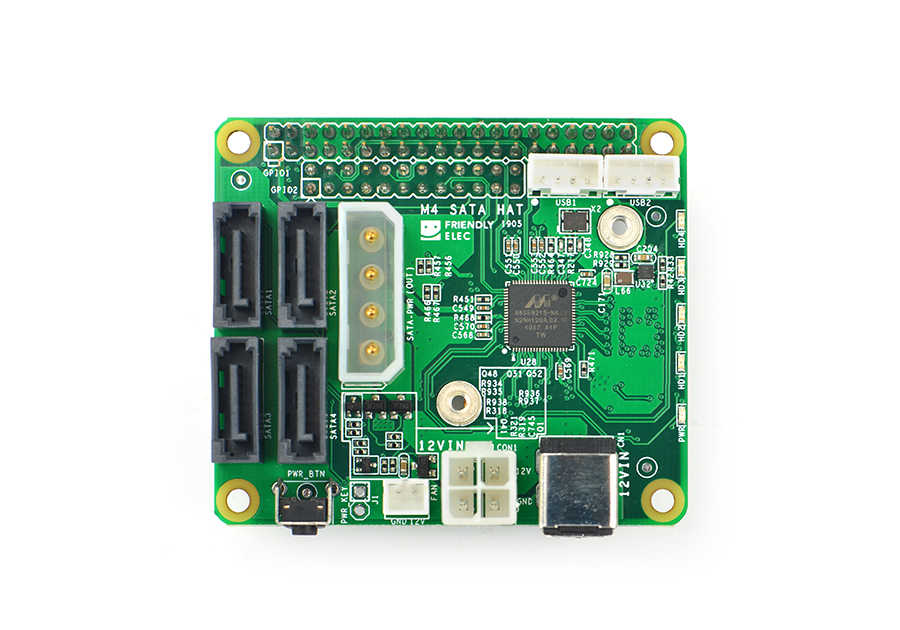
This article will show how to compile ZFS on Linux 0.8.2 on Ubuntu 18.04 on ARM64, specifically the FriendlyElec NanoPi M4 single board computer, which has a four-port SATA HAT available. It also works great on other single-board computers, and I’ve successfully compiled and used ZFS on the Raspberry Pi. These instructions will likely work on other architectures supported by ZFS on Linux, such as x86_64. Install ZFS build requirements Use apt to install the packages needed to build ZFS 0.
Read more →